Get the k7k7 App — Play Cricket, Casino & More Right on Your Phone
The k7k7 App puts 3,900+ games, live cricket betting, and instant bKash/Nagad payments in your pocket. Free to download, works on Android 8.0 and above, file size just 28 MB.
18+ · Play Responsibly · Android only · Free download
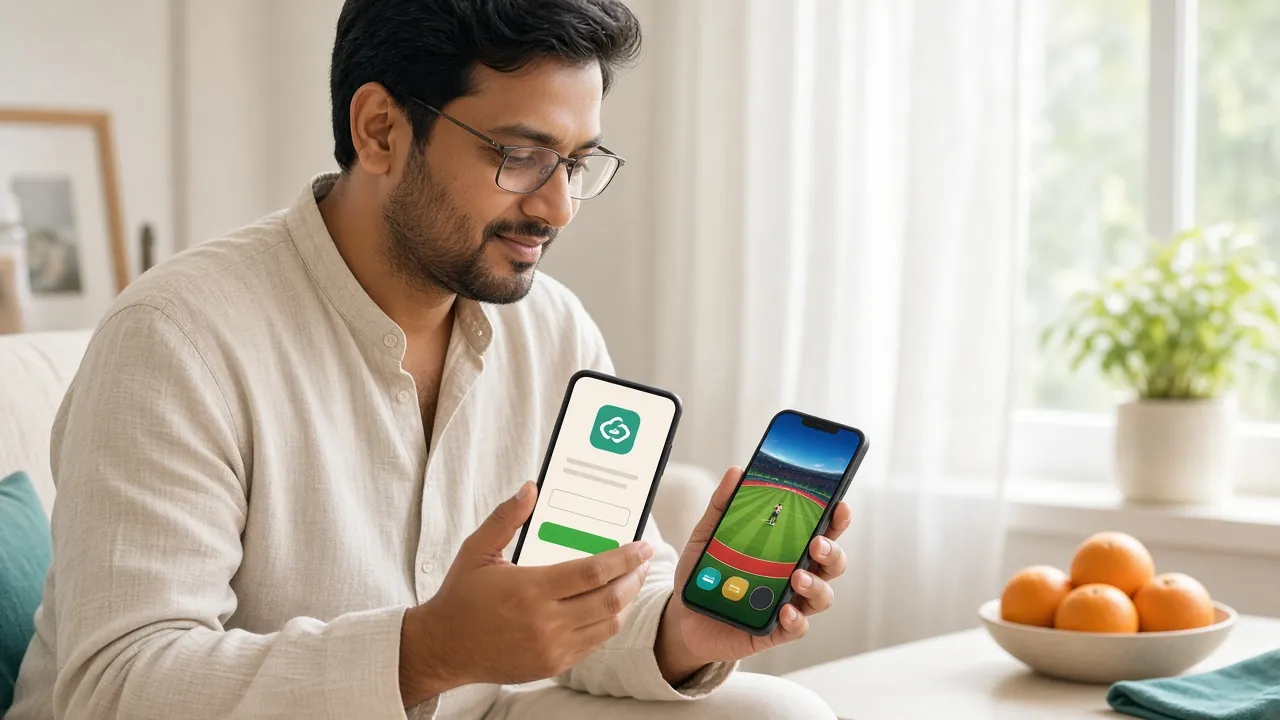
App Download Info & iOS Shortcut
| Version | 2.2.8 |
|---|---|
| File Size | 28 MB |
| Minimum Android | 8.0 (Oreo) |
| Last Updated | 15 November 2026 |
| Price | Free |
| Platform | Android (APK sideload) |
| Languages | English / Bangla |
iPhone Users: Add k7k7 to Your Home Screen
No iOS App Store listing exists, but you can pin the k7k7 website to your home screen for a near-app experience. It loads the full site and remembers your login.
- Open Safari on your iPhone and go to k7k7.live.
- Tap the Share icon (the box with an arrow pointing up) at the bottom of the screen.
- Scroll down the Share Sheet and tap "Add to Home Screen".
- Give it the name k7k7 and tap Add in the top-right corner.
- The k7k7 icon now appears on your home screen. Tap it to open the site in full-screen mode.
What You Can Play Inside the k7k7 App
See Full Casino

Inside the app you get the same full library as the desktop site — optimised for touch controls and smaller screens. The lobby loads in one tap after login.
- 3,900+ games — slots, live casino, fishing, lottery, and crash games from CQ9, Evolution, JDB, Sexy Gaming, Red Tiger, Ezugi, and KA Gaming.
- Live cricket & sports betting — in-play odds on BPL, IPL, T20, ODI matches with real-time score updates.
- Live dealer tables — Evolution and Ezugi studios stream baccarat, roulette, and blackjack 24/7 direct to your screen.
- Deposit & withdraw inside the app — bKash, Nagad, Rocket, and Bank Transfer all work. Deposits arrive in about 4 minutes; withdrawals clear in about 5 minutes.
- Bonus centre — claim your welcome offer, daily cashback, and reload bonus without switching to a browser.
How to Install the k7k7 APK on Android
Android 8.0 or later is required. The whole process takes under three minutes on a standard mobile connection. Follow these steps in order.
-
1
Allow Installation from Unknown Sources
Go to Settings → Apps → Special App Access → Install Unknown Apps. Find your browser (Chrome or Firefox), then toggle "Allow from this source" to On. This lets Android install APK files downloaded outside the Play Store. You can turn this off again after the k7k7 App is installed.
-
2
Download the APK File
Tap the Download APK button on this page. Your browser will download k7k7.apk (28 MB) to your Downloads folder. Wait for the progress bar to reach 100% before proceeding. On a 4G connection this takes about 15–20 seconds.
-
3
Open the File and Confirm Installation
Pull down your notification bar and tap k7k7.apk, or open your Files app, go to Downloads, and tap the file. Android shows an install preview screen listing the app name and permissions. Tap Install. The process takes about 10 seconds.
-
4
Launch the App and Log In
Once installed, tap Open on the success screen, or find the k7k7 icon on your home screen. The login page loads immediately. Enter your username and password, or tap Register if you are new. Need an account? Register here — it takes about two minutes.
-
5
Update the App When a New Version Is Out
The k7k7 App does not update through the Play Store. When an update is ready, a banner appears inside the app. Tap Update Now and repeat steps 2–3 above. Your account, balance, and history stay intact across updates.
What the k7k7 App Does Well
Six things that work noticeably better in the app compared to opening the site in a browser tab.
Fast Login
Biometric login (fingerprint or face unlock) works if your phone supports it. No need to type your password every time you open the app.
One-Tap Deposit
Your saved bKash or Nagad number is remembered. Tap Deposit, enter the amount, confirm in your MFS app, and funds arrive in about 4 minutes.
Push Notifications
Get notified about withdrawal confirmations, new bonus offers, and live match starts. You can manage exactly which alerts you receive in app Settings.
Live Cricket Scores
Score tickers update in real time during BPL, IPL, and T20 matches. Place in-play bets without refreshing the page — the app handles it automatically.
Session Security
The app locks after a period of inactivity. Only your biometric or PIN can unlock it, so your balance is safe if someone picks up your phone.
Mobile-First Layout
The game grid, betting slip, and payment forms are all designed for one-thumb use on a 5–6 inch screen. No pinch-zooming required.
App vs Browser: Which Fits You Better
Full Comparison GuideBoth routes reach the same games and payment options. The difference is in convenience and speed. Here is a quick side-by-side so you can decide.
Want the full breakdown? Read the k7k7 App vs Website guide.
Low-End Phones & Saving Mobile Data
The k7k7 App is built to run on budget Android handsets with limited RAM. It also works on 2G and 3G connections, though live video streams need at least 3G. Use these settings to get the best experience on slower hardware.
- Close other apps before launching k7k7 to free up RAM. The app itself uses under 150 MB of memory.
- In app Settings, turn on Low Data Mode. This reduces image quality slightly but cuts data use by roughly 40%.
- Switch from live dealer video to RNG table games if your signal drops below two bars — they load instantly with no stream buffering.
- Enable Battery Saver in app Settings to reduce background refresh and animation frame rate. The game engine still runs at full speed.
- If the app feels slow, clear its cache: go to Android Settings → Apps → k7k7 → Storage → Clear Cache. This does not delete your login details.
- Keep at least 500 MB of free internal storage. Android needs working space to run apps smoothly, especially during APK updates.
Installation Problems: Quick Fixes
If the APK does not install correctly, one of these five issues is almost always the reason. Find your error message and follow the fix.
| Problem | Likely Cause | How to Fix It |
|---|---|---|
| "Install blocked" or "Blocked by Play Protect" | Android's default security setting prevents installs from outside the Play Store. | Go to Settings → Apps → Special App Access → Install Unknown Apps, find your browser, enable it. Then try installing again. You can disable this after installation. |
| "Parse error" or "There is a problem parsing the package" | The APK file downloaded incompletely or became corrupted. | Delete the existing k7k7.apk from your Downloads folder. Re-download it fresh from this page and install immediately without moving the file. |
| "Not enough storage space" | Your device has less than 28 MB free on internal storage. | Go to Settings → Storage and delete unused apps, photos, or videos. Free up at least 60 MB to give Android enough room during the install process. |
| "App not installed" with no further message | An older version of the k7k7 App conflicts with the new APK, or storage is full. | Uninstall any existing k7k7 version first (long-press the icon → Uninstall), then install the freshly downloaded APK. Your account data is stored server-side — nothing is lost. |
| App installs but crashes on launch | Android version below 8.0, or insufficient RAM available at launch time. | Check your Android version under Settings → About Phone. The minimum is Android 8.0. If you meet the requirement, restart your phone to clear RAM and try opening the app again. |
Still stuck? Our 24/7 Live Chat support team can walk you through installation in real time.
Permissions the App Requests — and Why
The k7k7 App asks for a small set of Android permissions. None of them access your contacts, call logs, or SMS messages. Here is what each one does and how to revoke it if you change your mind.
| Permission | Why It Is Needed | How to Revoke |
|---|---|---|
| Internet | Required for all app functions — loading games, processing payments, connecting to live streams. | Cannot be revoked individually; removing app internet access would make it non-functional. |
| Camera (optional) | Used only for document upload during account verification. Not accessed at any other time. | Settings → Apps → k7k7 → Permissions → Camera → Deny. You can still upload photos from your gallery. |
| Storage / Files | Saves downloaded files and game cache to your device so games load faster on repeat visits. | Settings → Apps → k7k7 → Permissions → Files → Deny. Cache is then stored in temporary memory only. |
| Notifications | Sends push alerts for withdrawal status, bonus expiry, and live match starts. | Settings → Apps → k7k7 → Notifications → Off. Or manage per-category inside the app under Settings → Notifications. |
| Biometrics (optional) | Enables fingerprint or face-unlock login. The app never stores biometric data — Android handles authentication. | Turn off inside the k7k7 App under Settings → Security → Biometric Login. |
Only Download from k7k7.live
The only safe source for the k7k7 APK is this page (k7k7.live/k7k7-app/). Files on third-party APK sites, Telegram channels, or WhatsApp groups may be modified and can expose your account credentials. If you are unsure whether a file is genuine, re-download it directly from the button above and check that the filename is exactly k7k7.apk.
Common Questions About the k7k7 App
Is the k7k7 APK safe to install?
Yes, as long as you download it from k7k7.live/k7k7-app/ — the only official source. The file is scanned before each release. The app does not access your contacts, call logs, or SMS. Android's "unknown sources" warning appears for all APK files installed outside the Play Store; it is not a sign the file is dangerous. After installing, you can revoke the "Install Unknown Apps" permission.
What Android version does the k7k7 App require?
The minimum is Android 8.0 (Oreo). Most phones sold in Bangladesh from 2019 onwards run at least Android 8.0. To check yours, go to Settings → About Phone → Android Version. The app runs on Android 8.0 through the latest Android release and is tested on common mid-range handsets popular in the local market.
How do I update the k7k7 App when a new version is available?
When a new version is ready, a notification banner appears inside the app with an Update Now button. Tap it to download the new APK — the process is the same as the first install. Your account balance, transaction history, and saved preferences are stored server-side, so nothing is lost during the update. The current version is 2.2.8, last updated 15 November 2026.
Why does the installation fail with a "parse error"?
A parse error almost always means the APK file downloaded incompletely — this usually happens when your connection dropped mid-download. Delete the existing k7k7.apk from your Downloads folder, reconnect to a stable Wi-Fi or 4G network, and re-download the file from this page. If the error persists, also check that your Android version is 8.0 or higher, as older versions cannot read the app's package format.
Can I use the k7k7 App on an iPhone or iPad?
No iOS App Store listing exists for k7k7, and Apple does not allow APK sideloading. iPhone and iPad users can access the full site through Safari at k7k7.live. For a more app-like experience, use Safari's Add to Home Screen feature (see the iOS shortcut steps above). All games, payments, and account features work in the mobile browser — you just will not get push notifications.
Does the app work on 3G or slow connections?
Yes. Slots, crash games, and sports betting work on 3G with minimal lag because game assets are cached after the first load. Live dealer video streams need a steadier connection — at least a strong 3G or 4G signal is recommended. If your signal is weak, switch to RNG versions of table games in the app lobby. You can also enable Low Data Mode in app Settings to reduce background data use by roughly 40%.
Ready to Play? Download the App Now
Free, 28 MB, works on Android 8.0 and above. Tap below to get the APK file directly from k7k7.live. Already have an account? Log in here.
- SSL Encrypted
- 18+ Only
- 24/7 Support
- Android 8.0+
- bKash & Nagad